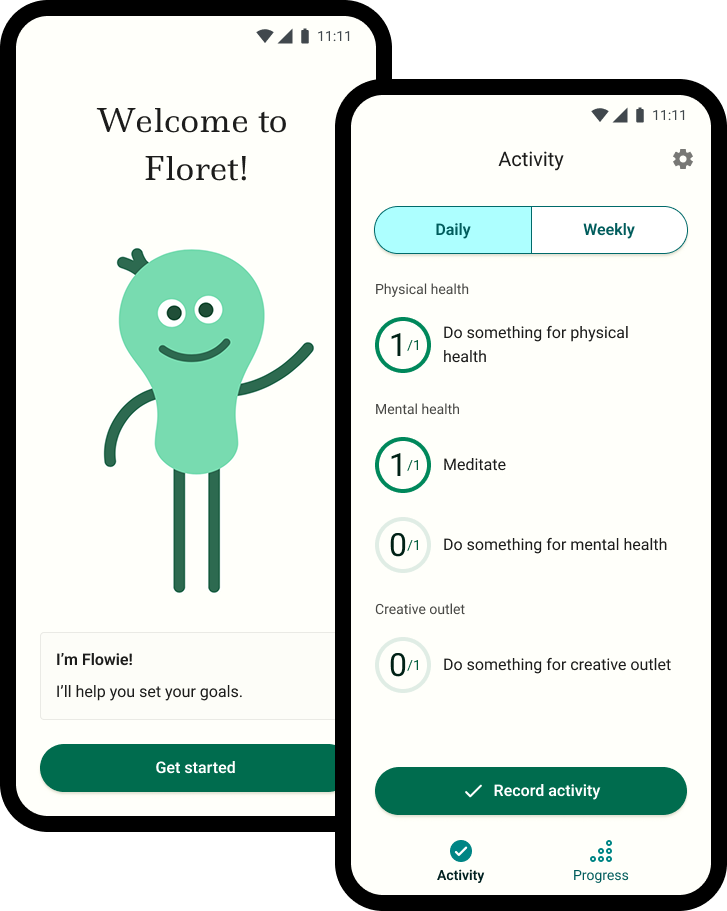
produced: workflow definitions // sketches // mockups // prototypes // developed mobile app
Sick of struggling to stick to a “perfect” routine, I designed an app to focus on sustained progress through flexibility. As a product development team of one, I took the concept from fridge whiteboard to live beta app that’s now in the hands of real people and already receiving encouraging feedback. (Curious Android users can download the APK and give it a spin!)
During the pandemic, my sense of routine was upended overnight. I knew that trying to commit to doing the same thing every day would just lead to frustration. Focusing on building streaks encourages an all-or-nothing mindset. Instead I wanted to create something different - a “choose your own adventure” approach that’s flexible enough to meet your day-to-day needs.

The inspiration for Floret started on my fridge whiteboard. It served as a lightweight goal tracker, and a visual reminder to commit to daily progress. As I started to form more refined goals in my mind, the idea for Floret’s framework began to take shape. This led me to question whether others might also benefit from a more flexible way to set goals.
Before even starting to sketch out any screens, I needed to know if this framework would resonate with others, or if it was just particular to how my own brain worked. I explained the idea to friends to get their feedback and gauge interest. One (a psychologist) immediately saw the value in it, and thought it would be something her clients would benefit from. Another friend gave a particularly helpful insight when she asked “So what happens when I record something?” While I knew including moments of delight would be a differentiator, this was a clear signal that celebrating progress would be a crucial motivator for continued usage.
While the whiteboard started simply enough (ie: pick one activity from each category daily), over time I started to hold more nuanced goals in my mind. This is what led me to flesh out Floret’s three layer model:

With the flexibility to meet users changing day-to-day needs, showing up still counts, and progress is celebrated.
With a clear vision for the framework, I started to map out the three core workflows I envisioned for the app:
I started by sketching out the steps for each workflow. Since goals can overlap (a single activity can apply to both a specific goal and a general one), recording activities turned out to be the trickiest. I needed to do some exploration to land on an interaction that felt intuitive.
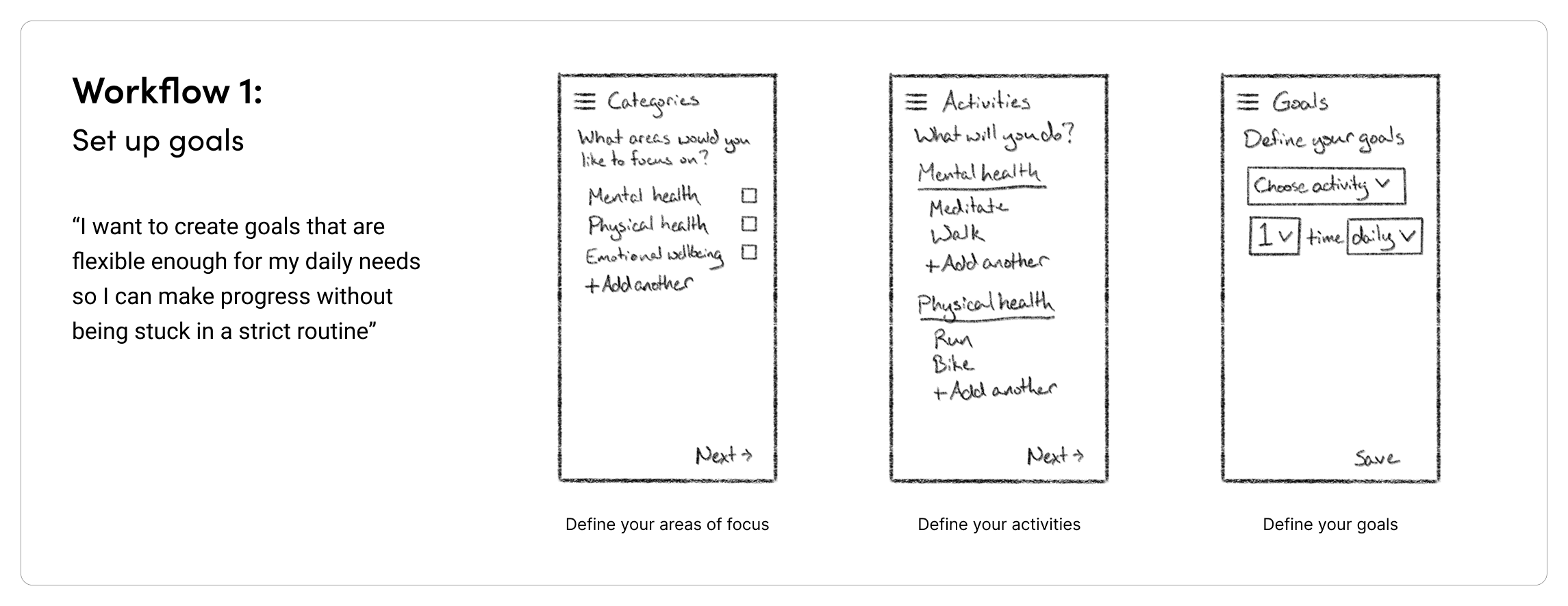
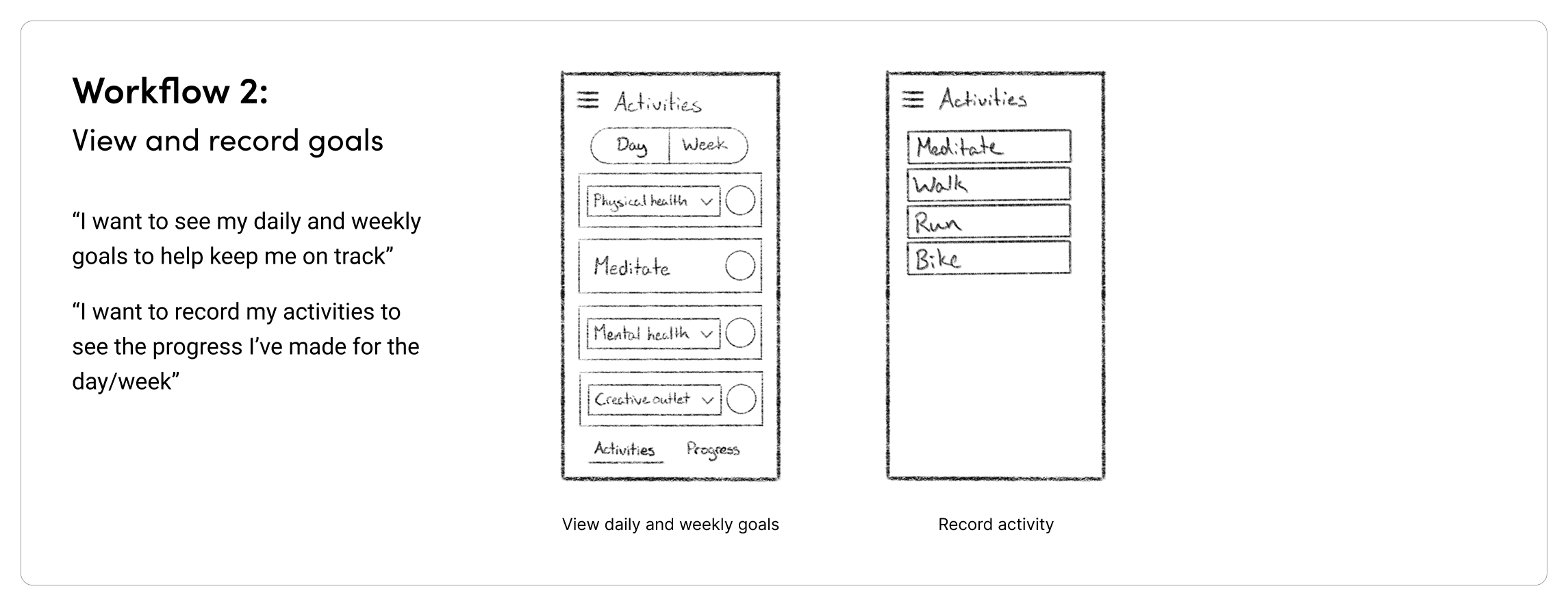
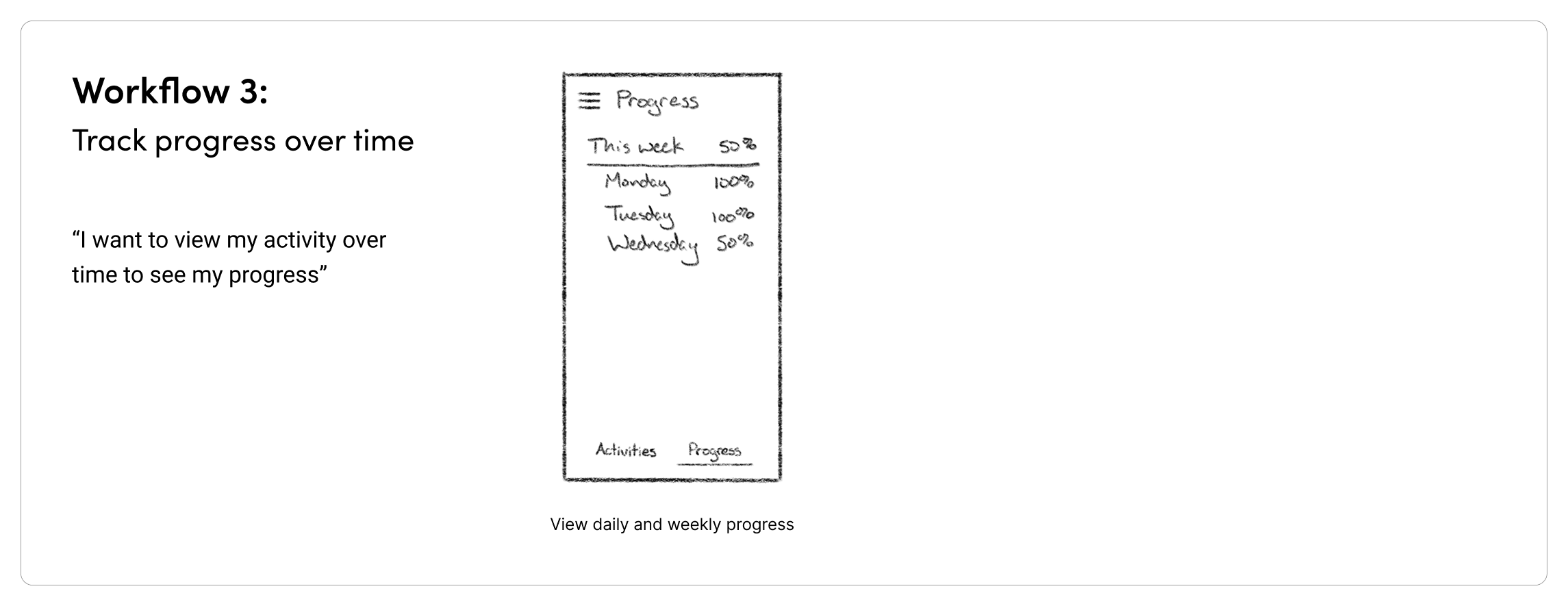
Moving on to wireframes, my goal was to find the most effective mobile patterns for each step. This is where I caught myself thinking with more of a web lens by default.

My first instinct for onboarding was to show editable text fields directly in the main screen content. While the approach was sufficient, combining display and input in the same view added more noise than I intended. As I considered how to simplify the interactions, I also wanted to strike the right balance between offering suggestions and encouraging customization.
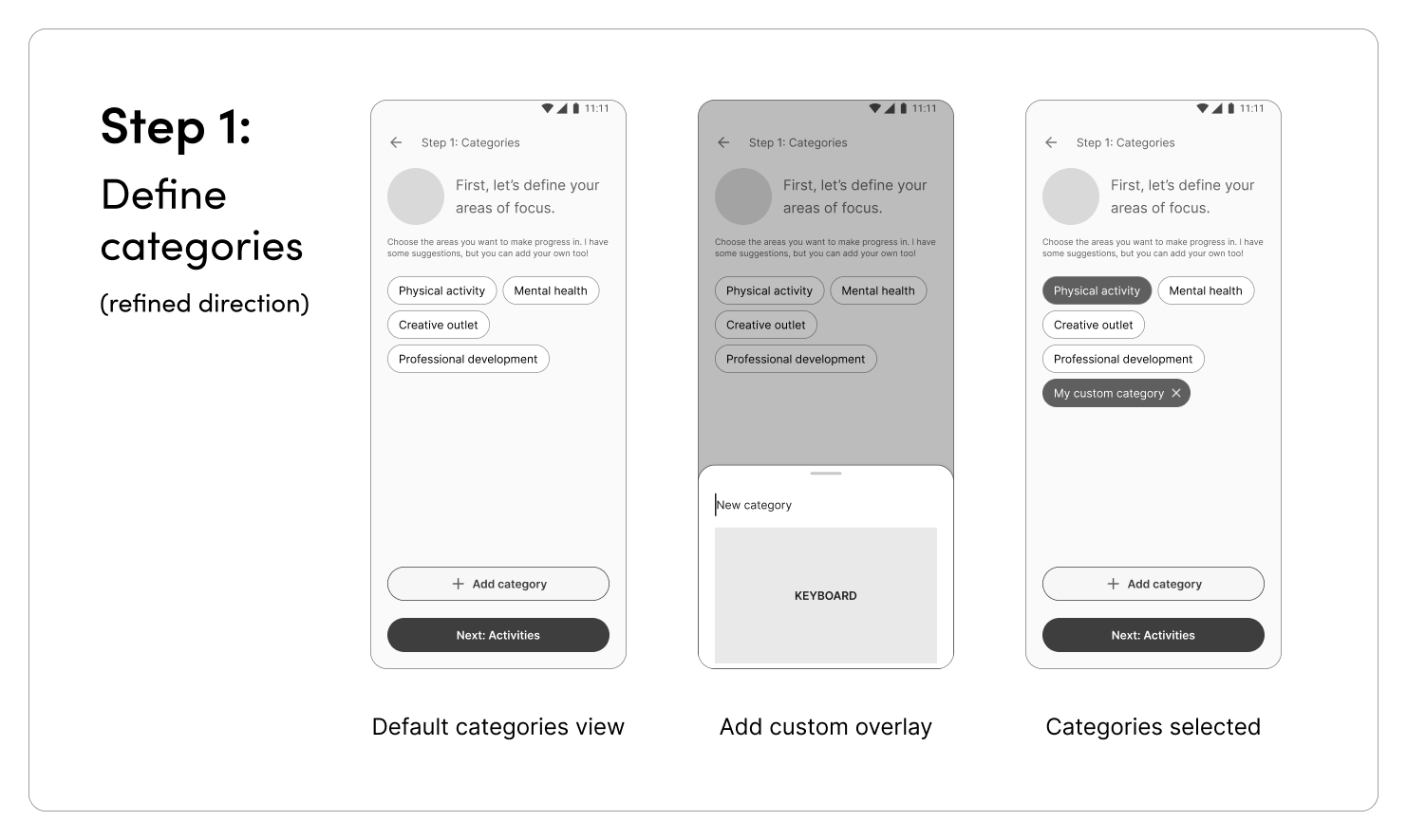
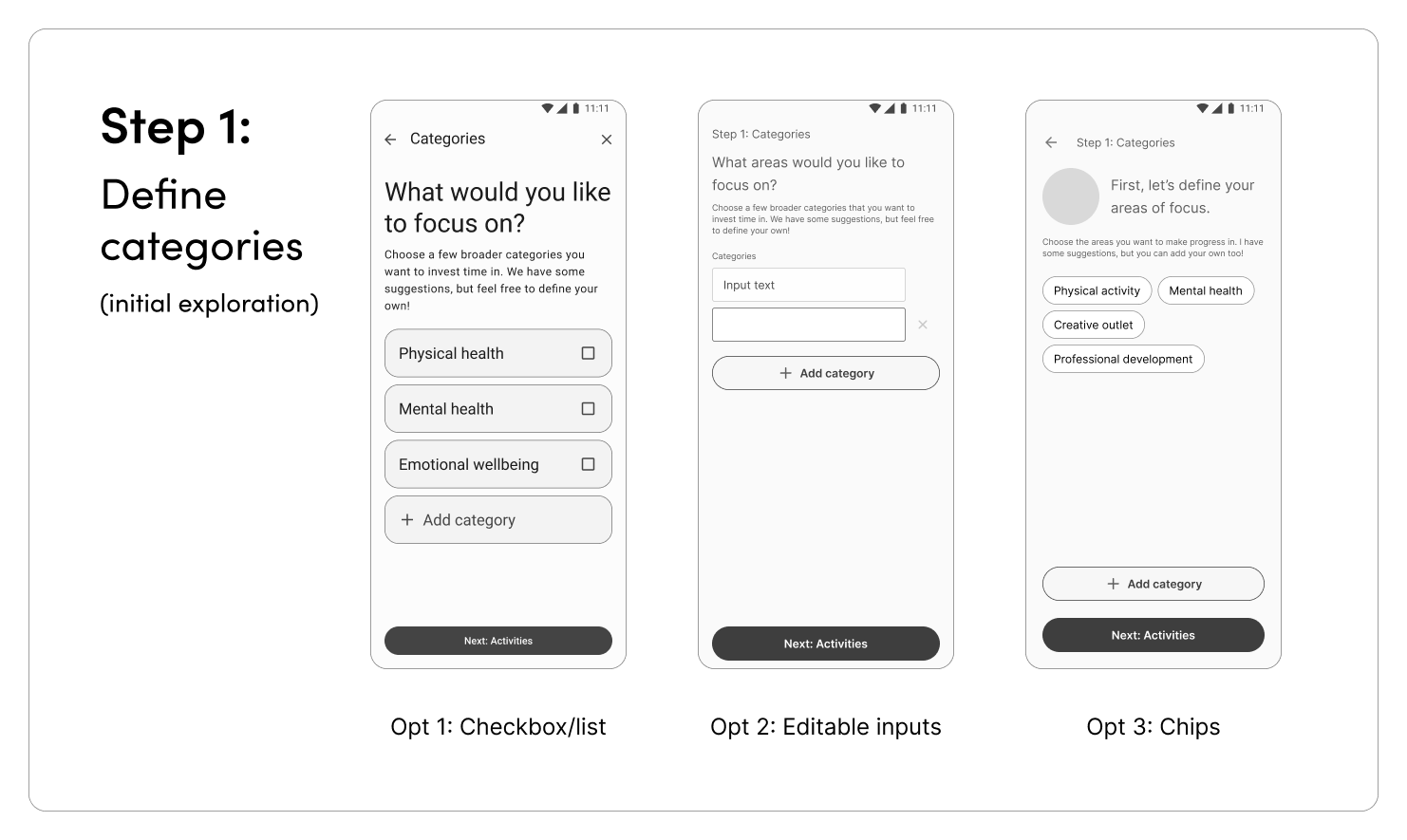
For the first step (selecting categories) I landed on a chip-style selector to show suggested categories, plus an overlay for adding custom categories. For the overlay itself, I drew inspiration from the Google Tasks app. This interaction felt much more native than my initial inline text fields.

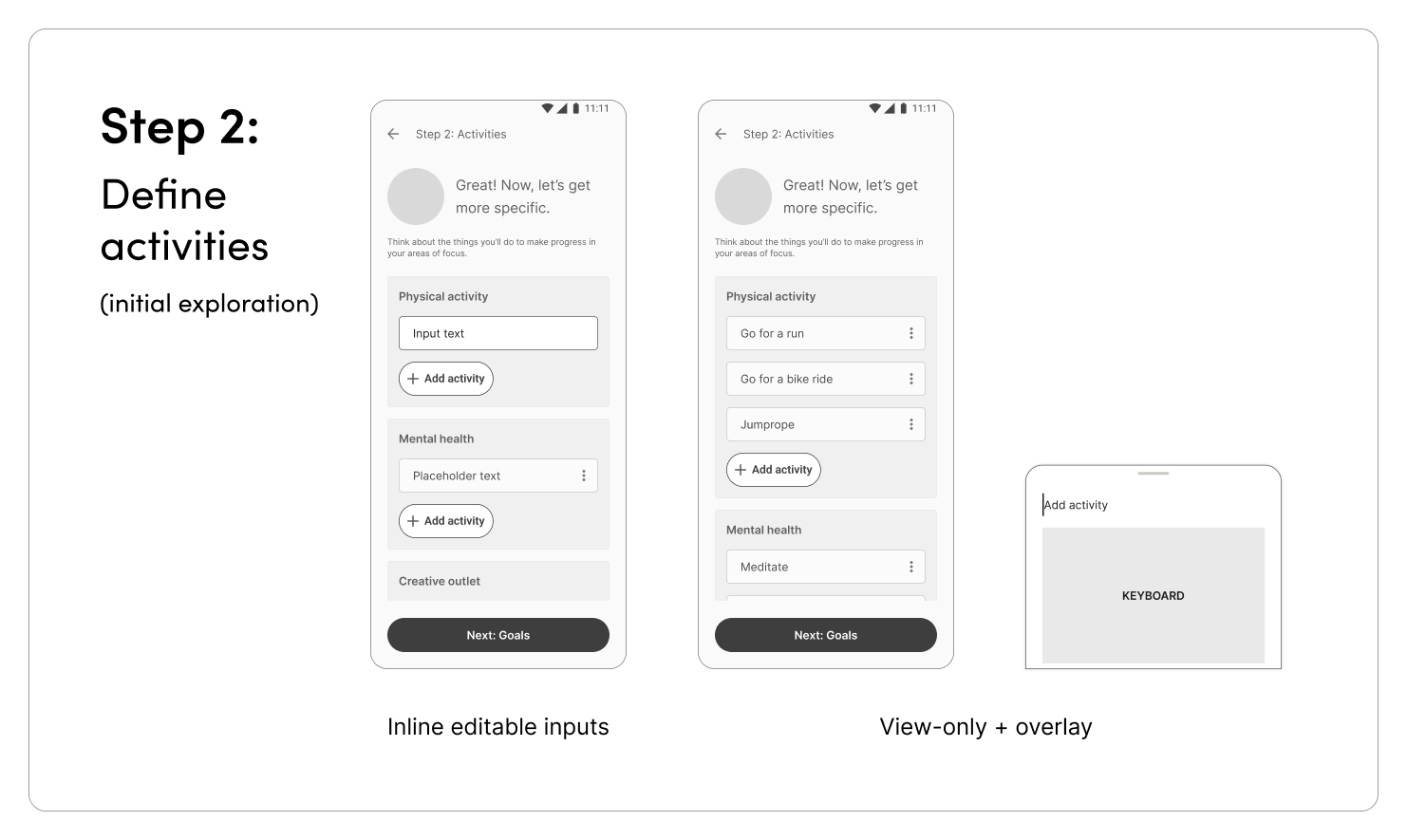
For defining activities, I landed on treating the main content screen as view only, with a dedicated overlay for adding activities. This interaction was consistent with that of adding custom categories in the first step.
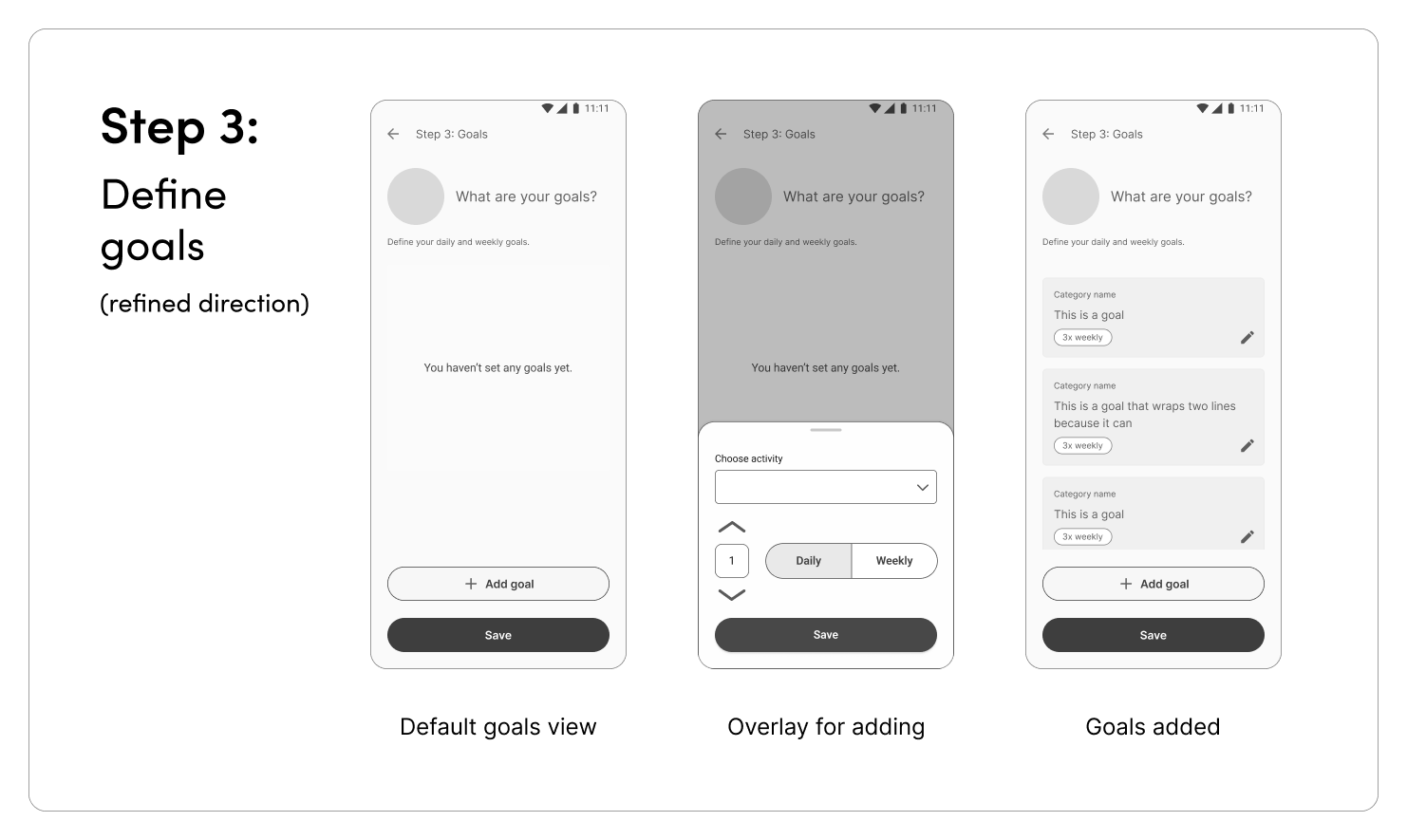
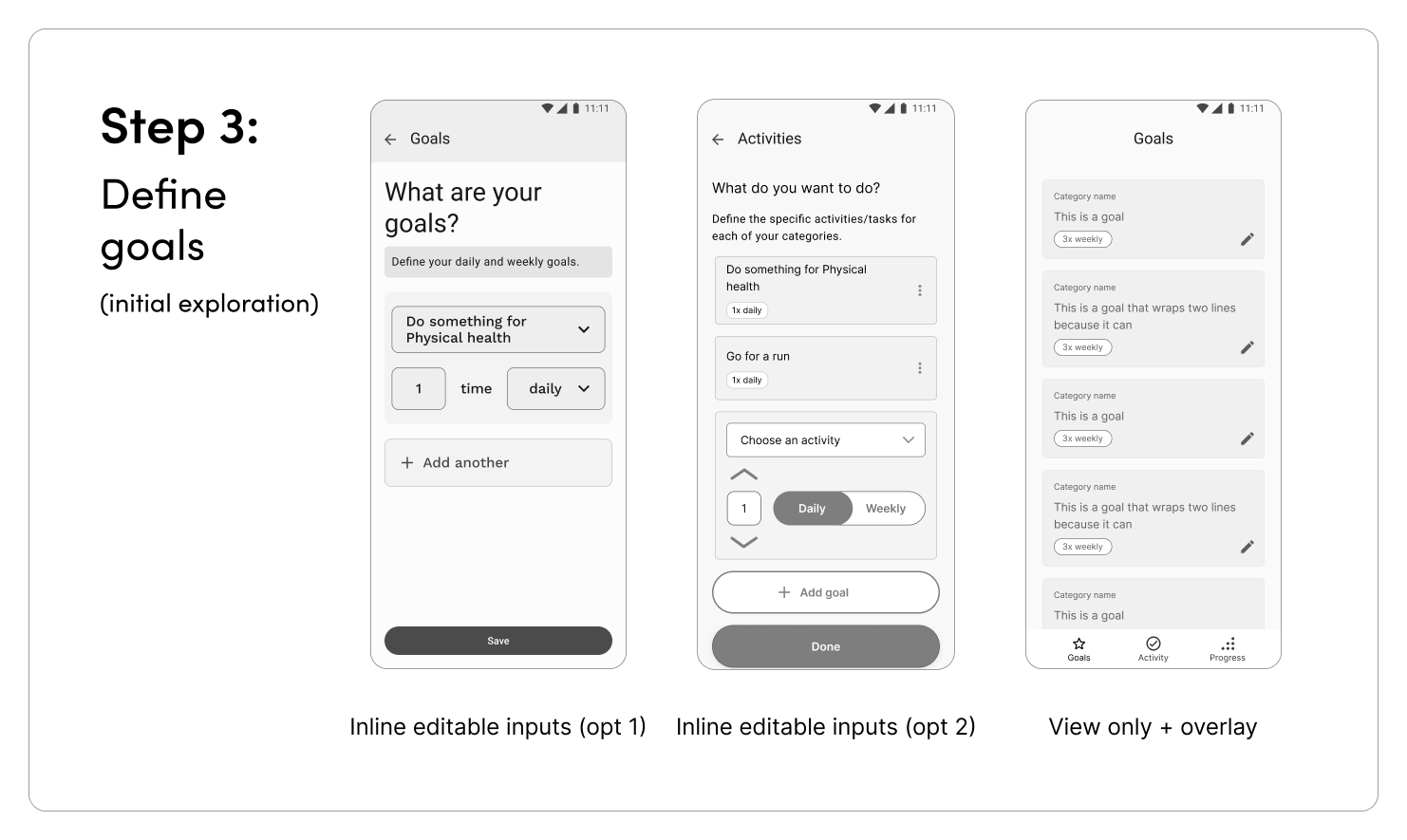
Similarly for goals, I decided to treat the main content screen as view only, and created a custom overlay for defining goals.
As I worked through each step, I landed on a guiding principle that viewing information and recording information should be handled separately.
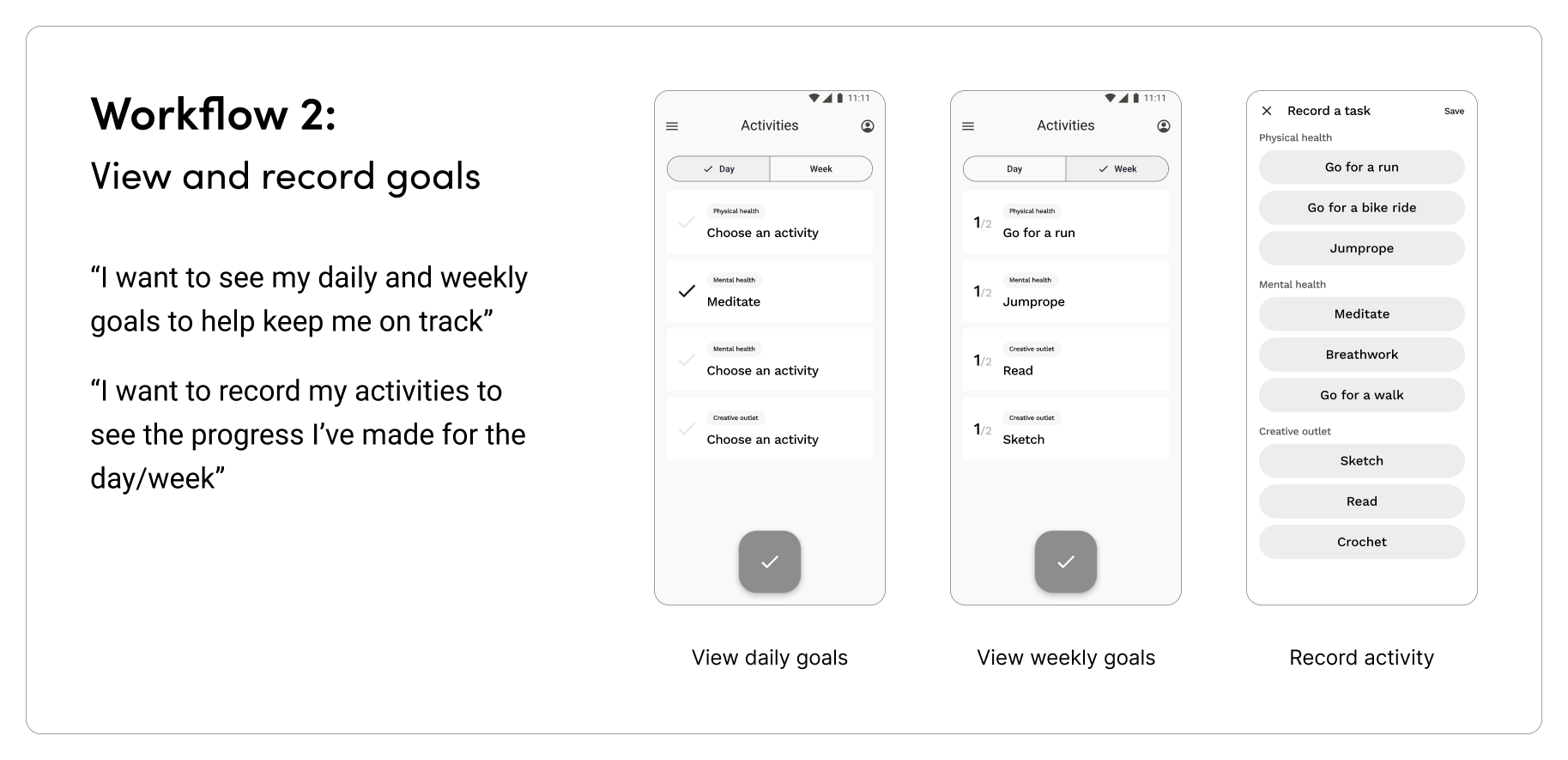
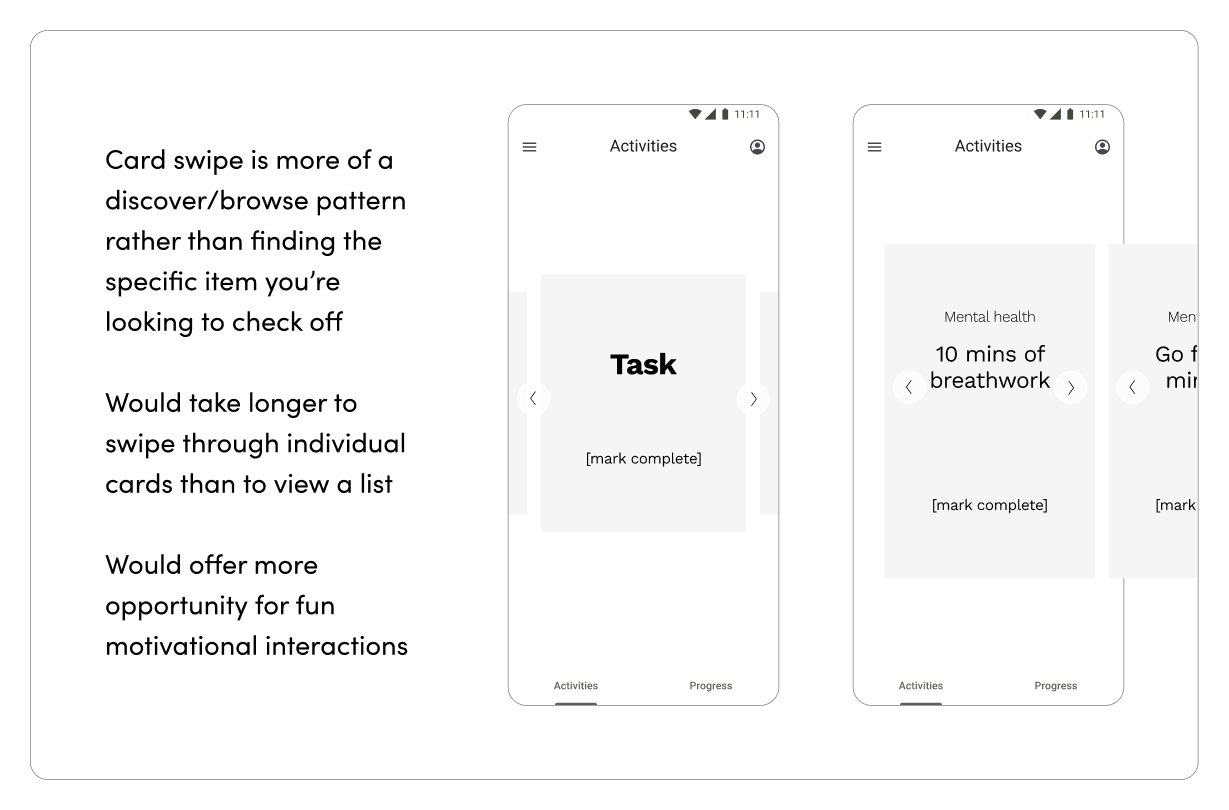
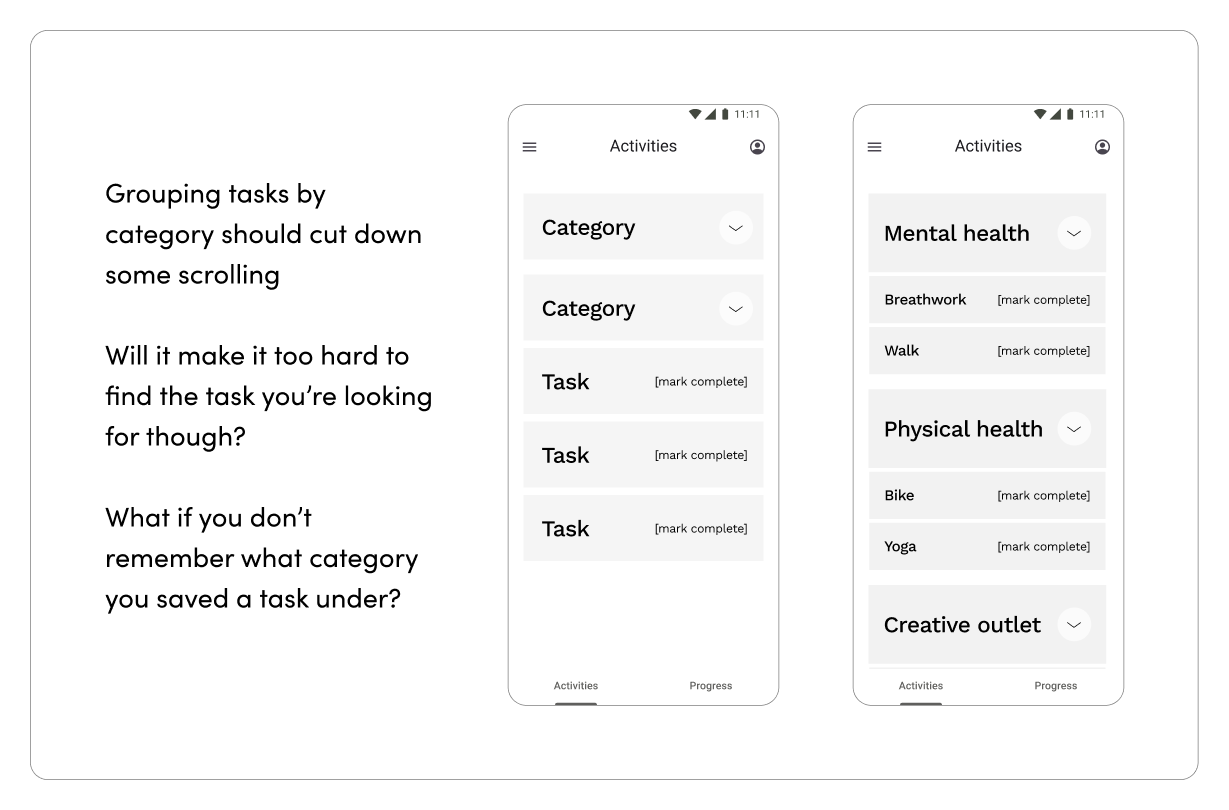
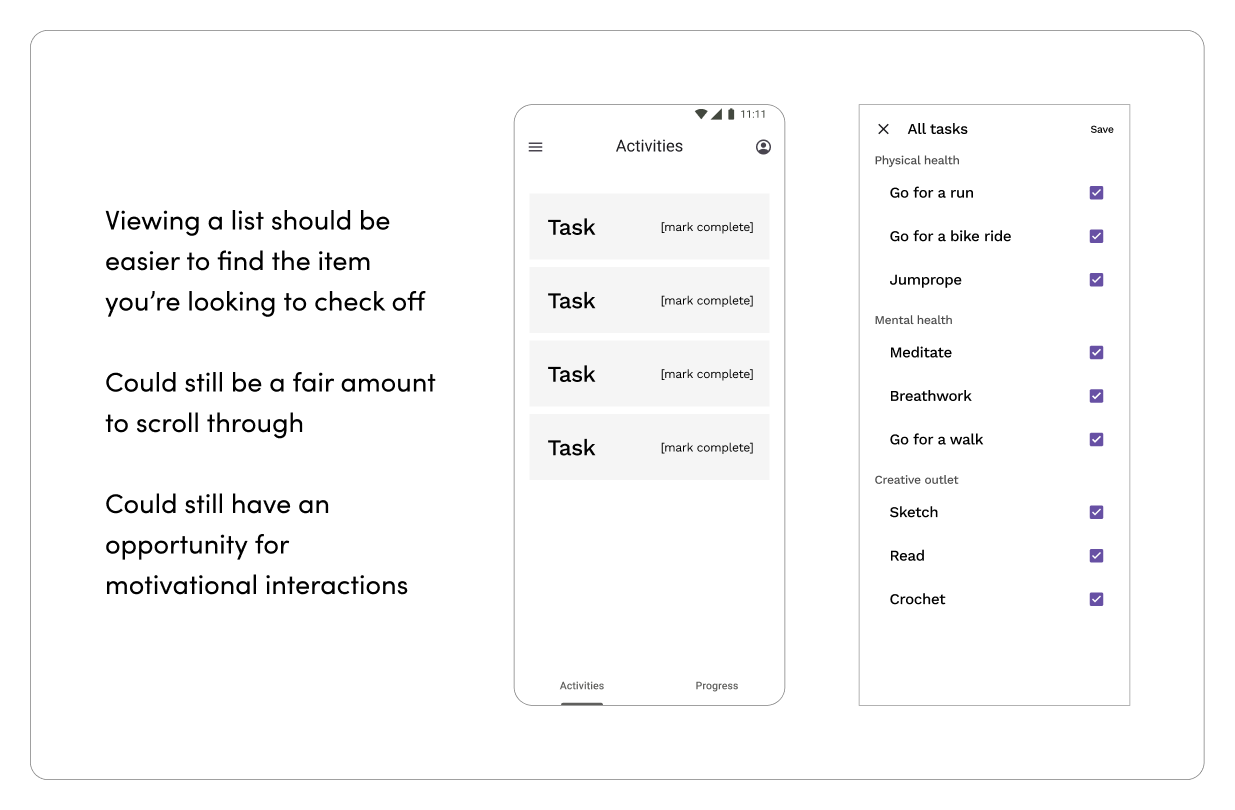
The flow for viewing goals and recording an activity required the most iteration. Initially I explored different patterns for viewing goals and marking them as complete (card swipe, category groups, and a flat list). However, since there could be overlap between specific and general goals, I ended up shifting away from the idea of having users mark goals as complete, and instead record what activity they did. This way, goals could automatically be updated when a relevant activity is marked as completed.
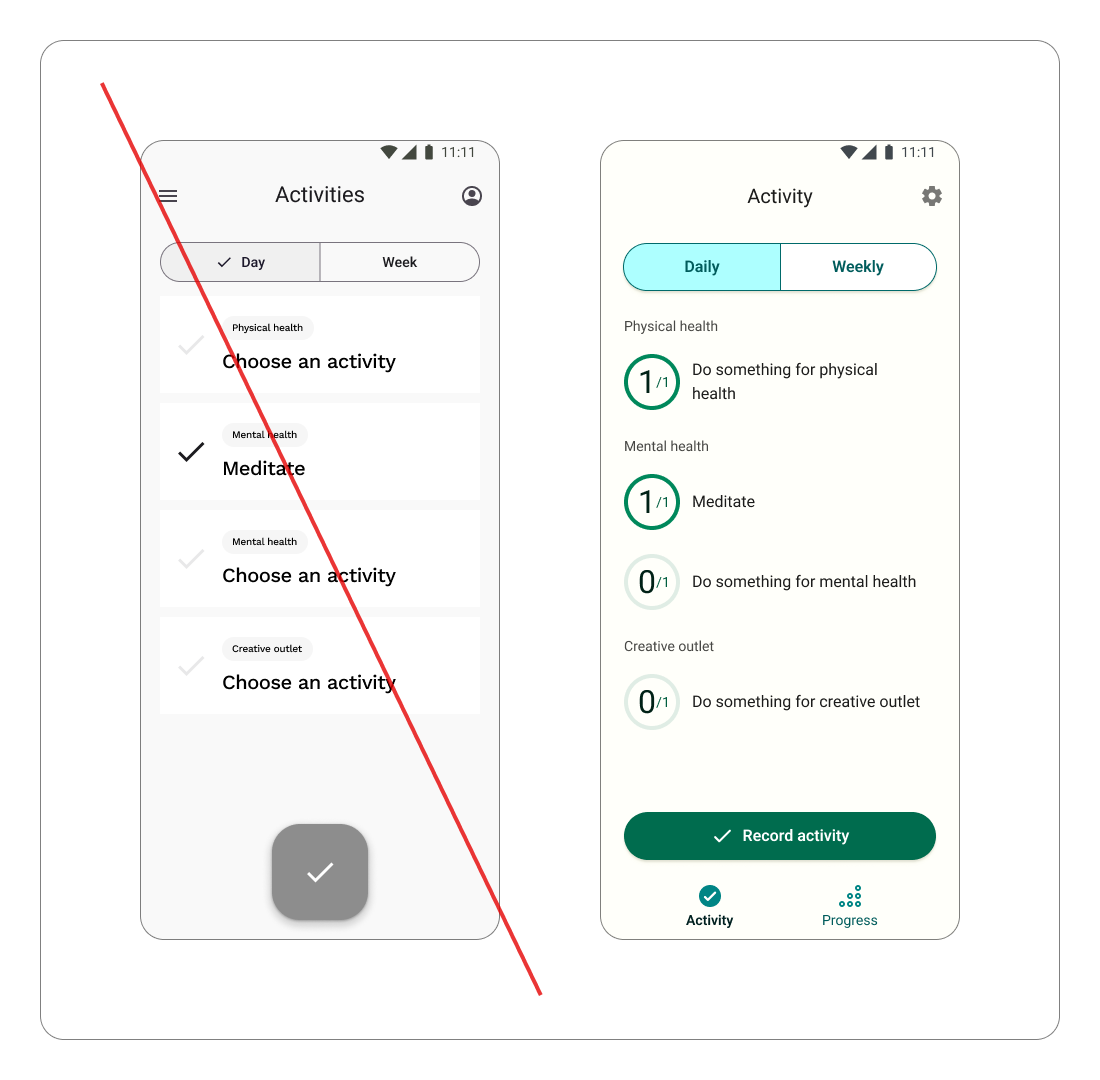
The affordance for recording an activity also went through some iteration. Initially I modeled it after YouTube Music’s large FAB. The pattern felt intuitive for a screen with a single primary action. However when I tested it with my husband, I discovered the pattern didn’t translate as well as I had hoped. Instead, I shifted to using a full width button with a clear “Record activity” label.
Remembering my friend’s question about what she’d get for recording an activity, I knew I needed to include a moment of celebration (a little happy dance from Flowie) after a user records an activity. It’s a small but impactful touch to encourage continued progress.
First I took a stab at seeing how different AI tools might speed up the animation process. Unfortunately the results ranged from comical to haunting.

Figma's "smart" animated component

Cursor's best effort

Figma Make's animation
So, I decided to create custom animations myself for both the intro screen and post activity recording happy dance.
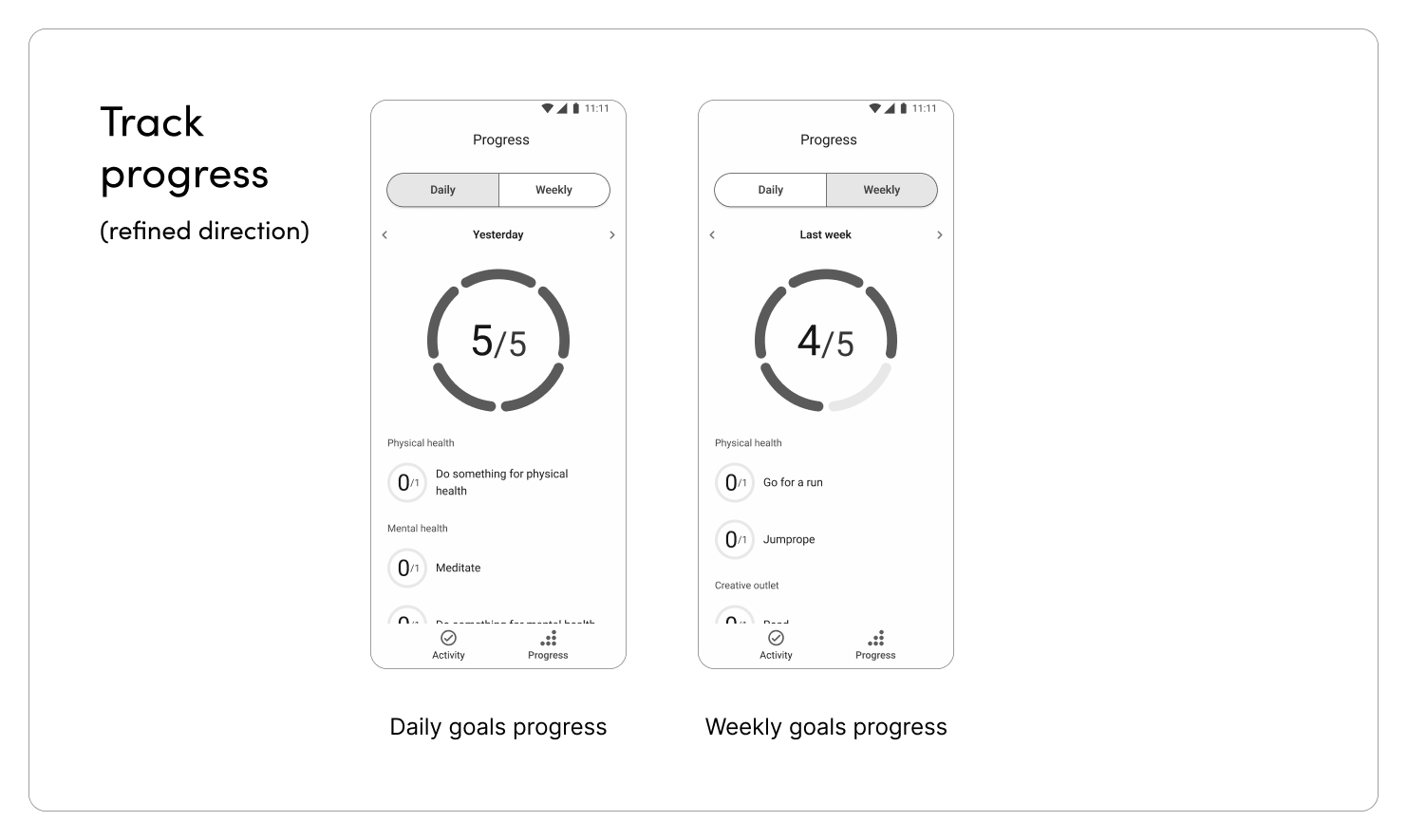
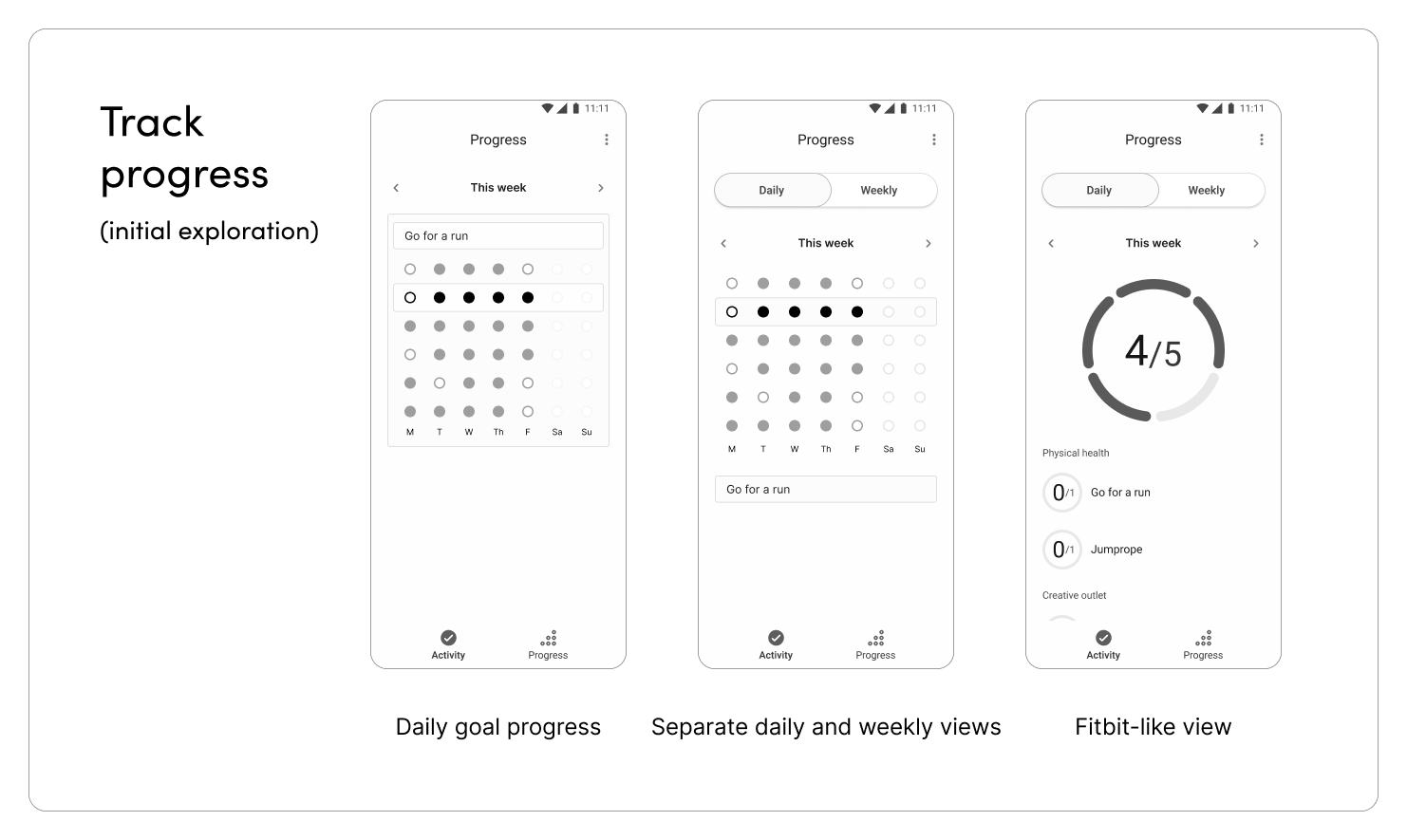
For a while, I was stumped on how to show a user's progress. I wasn’t sure how to show both daily and weekly goals over time, until I realized I could draw inspiration from Fitbit. I decided to present progress similarly to how I showed daily and weekly activity. Progress rings animate as they fill in, encouraging momentum.
I wanted Floret to feel calm, but also encouraging, and even joyful. To achieve the proper aesthetic, I knew the color palette would be crucial. I used Material Design’s color palette generator as a starting point. Then I refined the colors to keep hues consistent within each family, and ensure accessible combination rules applied across each family.

The components evolved along with my mobile-first approach. When I caught myself thinking with a more web-based mindset, I realized I needed to more consciously push myself to treat this as a truly mobile project. One of the clearest examples of this shift can be seen in the evolution of the interactions in the onboarding screens - transitioning to using overlays instead of inline inputs simplified views. The guiding principle that I formed while crafting the onboarding flow carried over into the second workflow - recording activities. The goal lists would be view only, with a dedicated overlay to keep recording activities as a separate interaction. The UI for displaying and inputting information evolved accordingly.


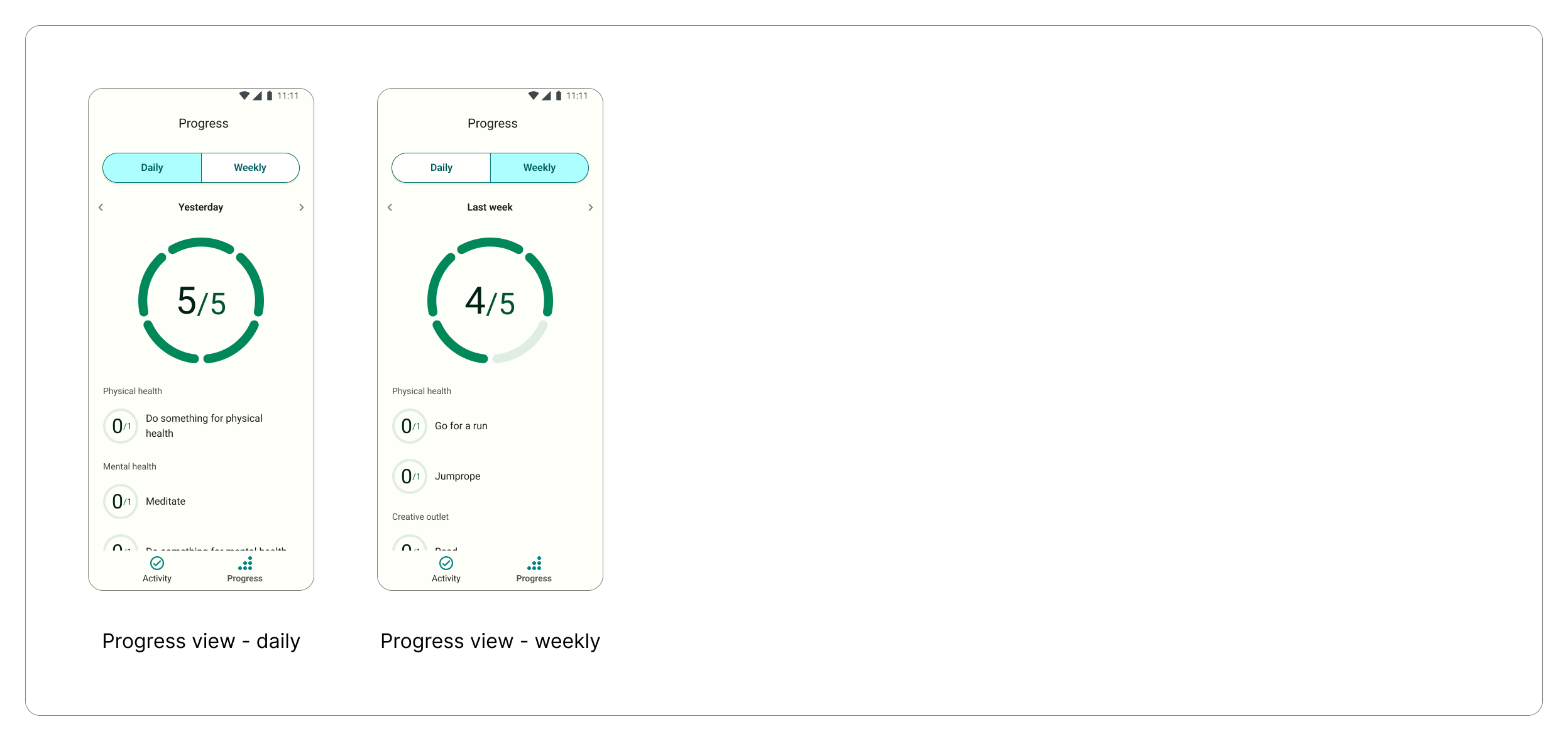
Once the designs were fleshed out and refined, I moved into development. This brought a new set of design decisions, and lessons learned.
Establish context before writing code - Before diving into development, I wanted to make sure Cursor had the appropriate context to set the project up properly. I started by explaining the project and framework as clearly and thoroughly as possible, and instructed Cursor to ask any clarifying questions before proceeding.
Because I ultimately wanted to make the app available for both Android and iOS, Cursor advised building a React native app.
Describe the logic, not just the screens - Both the goal-setting framework and the way progress is recorded needed to be explained precisely. As I endeavored to flesh this out with Claude, additional considerations surfaced that needed to be addressed.
If a user had a specific goal to “do this thing daily”, as well as a general goal to “do something for the same category daily”, the specific activity should not count for both goals.
Format design specs so they can be interpreted effectively - As I worked to refine the visual design, I started to figure out how to most effectively share design specs. Mockups were helpful for providing the full context of a given screen, but sharing specific UI components from my design system was more useful when refining design specs.
Reference other apps to communicate desired interactions - There were some interactions that Cursor struggled to translate from my static mocks. After failing to achieve the intended interactions after a few rounds of feedback and iteration, I shifted to referencing other apps directly.
Describing to Cursor that adding a custom category or activity should work the same way as adding an item in Google Tasks proved much more effective than trying to articulate what Cursor needed to change.
Leverage Cursor as a thought partner, not just a code generator - When weighing multiple options that were equally valid from a design approach, I asked Cursor to provide recommendations from a technical perspective. This helped me to make decisions that were sound both in design and development.
When considering how to edit goals post onboarding, I had two options in mind - 1: Create new screens for the edit experience, or 2: Reuse the onboarding flow. While I liked the idea of tailoring the edit experience and potentially consolidating some of the steps, after talking it through with Cursor, I opted to use the same onboarding screens for simplicity.
Another example where Cursor’s advice proved helpful was in thinking through how to allow users to “undo” an activity that had been recorded accidentally. I had a couple ideas that I wasn’t particularly sold on, but after sharing them with Cursor and considering Cursor’s suggestions, I was able to land on a simple, intuitive approach that wasn’t overly prominent in the UI.
While early feedback has been generally positive (one person texted me “Woo! I got a happy dance for walking my dog!”), it's also given me ideas for what I’d like to iterate on next:
When Floret moves into a wider release, I’ll want to pay attention to continued usage over time as an indicator that the framework is truly flexible enough to stay relevant over time.
For a v2, I’d also love to incorporate push notifications and AI-powered nudges. My hypothesis is that tailored, well-timed prompts based on a user’s behavior over time would be a powerful way to encourage continued success. Ie: “You haven’t completed this goal in a few weeks, should we refine it?” I’d also love to incorporate more moments of delight along the way, with bigger celebrations when a user completes all of their daily or weekly tasks.
For this project I was not only the lead designer, but a product development team of one. Articulating requirements and interactions in a way that Cursor could interpret effectively was a new challenge that helped me both hone my communication skills, and recognize when I needed to take a step back and re-evaluate an approach. I also needed to make judgment calls on my own (or with the help of Cursor) without a PM to serve as a tie breaker.
I’m proud of the current state of Floret, and the fact that it’s being used by others today. And in true iterative fashion, I’m already excited by the enhancements that could make it even more engaging.
Each decision in creating Floret ties back to the same belief that sparked the idea for it in the first place: consistent progress is more valuable than inconsistent perfection.
And if you've made it this far and want to test it out yourself, you can download the APK here!